Showing posts with label Computing. Show all posts

Sunday, January 31, 2016

Another EYFS /KS1 computing app

I have been playing with the Foos this morning and it's another nice free app for EYFS and KS1. 


It uses drag and drop blocks that scaffold learning. 


You can change the direction of your blocks by clicking on them, then select from arrows.


After you have mastered basic walking and jumping, it introduces the repeat command.


That's as far as I've got at the moment, but I can see that children will enjoy playing with it from what I have played. I will try it with my mini digital leaders next week. It requires some computational thinking, though doesn't challenge like other apps by asking children to think too much about direction. This is good for the children who find apps such as Beebot too challenging. 

 My only other criticism so far is that you don't have to be overly precise with the jumping/adding blocks. I was successful even when my code wasn't quite accurate. A nice start to early coding though.


Wednesday, September 16, 2015

How can digital leaders have an impact on the computing curriculum?


A post for #DLChat on 17th September at 9pm

I confess that my work with digital leaders has been sketchy over the past couple of years. I left the role of ICT coordinator two years ago, but that doesn't mean I have lost my passion for what I believe to be an asset to any school. We do have digital leaders at East Harling and I am fortunate to work with some of them in our code club, but I am not directly involved with what they do for the school. I have tried to get KS1 digital leaders going (mini DLs as I like to call them), but this has proved difficult despite their excitement about the role. Time is a problem. I aim to try again this year! The reason I am telling you this is that the following is based on experiences that are over two years old. They are still very valid and I actually feel very proud of what we achieved as a school before the computing curriculum became statutory. 

My digital leaders met at least once a week and had different areas of expertise, depending on their interests and what they wanted to learn. A couple were responsible for blogging and they updated their digital leader blog independently. They had lots of ideas, many of which came into fruition.


They hosted an open event where teachers and technicians (spot @kevin_sait!) came along to learn about the impact they have in school. I know that this had an impact as the ICT coordinator from my current school attended - and subsequently advertised for digital leaders. He has been supporting them in school for over two years now. 

So what about computing? Well I like to think that between the digital leaders and I we left a legacy of good practice. I was always quite hot on teaching the computing elements of the ICT curriculum as I knew that it was the part that teachers shied away from. Being an AST meant I had to know. I also wanted to find resources and ideas that would inspire children to engage and teachers to develop the passion to deliver confidently. So my digital leaders learned how to use - and become experts in - a range of resources such as:

  • Kodu
  • Mozilla thimble
  • Hackasaurus
  • Scratch
  • BYOB
  • Probots
  • Popcorn
  • Sherston resources
  • A range of ipad apps
I'm sure there were more, but these were the ones I remember most. I did not teach them, they learned by exploring, breaking things and through trial and error. Pretty much the same way that I have learned. It seems to stick better that way. 

They taught their peers during class ICT sessions, provided staff workshops and 1:1 support (depending on the teacher's year group), provided computing workshops for teachers in our cluster, presented e-safety sessions in assemblies, hosted kidsmeets, attended kidsmeets to learn new things and participated in cluster livewriting sessions to share expertise with other children. I have no doubt about the positive impact that they have had. I am very proud of one of my digital leaders who, after two years of campaigning to get her high school to employ digital leaders, has taken on the role herself. At the end of last year she had 20 year 7 digital leaders turn up! Wow! 


Of course the impact they have had is only measurable by the anecdotal evidence from other staff members, but I know that many felt more confident to try things out after they had received training from a digital leader - or they had them supporting in class. The laptops were being booked out more, staff were becoming more adventurous with what they were teaching and the children were leaving school with a greater level of skills.

I know that schools rely on passionate staff (or young people!) to keep any digital leader movement going. As a deputy, SENDco and year 2 teacher my time is very limited. My experience with year 6 digital leaders though was that they almost managed themselves. Some of them came more than twice a week and I was quite frank that they had to work things out themselves - and they did! At times all I provided was my room, meagre tips (and only when I could sense frustration) and the fact that I was available (often marking). So if you really want to get started but are concerned about protecting your time, promote an ethos of self-learned expertise. 

In #DLchat I would love you to share your successes and struggles. Maybe we can persuade others to employ them this year and find out for themselves what impact they can have.

Saturday, May 16, 2015

Learn to Code

I have long been a fan of the Rising Stars Switched on ICT units because of the way that they cover ICT in a creative way, supporting teachers who have low confidence in covering he curriculum. With the move to the computing curriculum, Rising Stars have responded quickly, with a set of Learn to Code books, written by Claire Lotriet @ohlottie. 


When I first saw them I was impressed with the way that the units are set out in easy to follow steps and that they can be used progressively through KS2. Our ICT coordinator felt the same and that they would be a useful addition to the resources that we have in school. 


Exploring Kodu

The fact that the activities are based on free resources means that it can be a cost effective way of covering the computing curriculum, especially for less confident teachers. There is a great variety too! The programs in the unit cover sequence, selection, and repetition in programs; working with variables and various forms of input and output. I was pleased to see Kodu and Thimble included and impressed that it moved on to things like Python and AppInventor. 


Ensuring the Scratch instructions work!

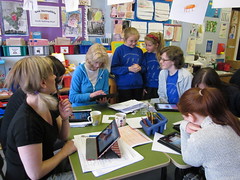
It was important to find out what our children thought though, as they often have different opinions from the teachers!  So my year 5 code club (which includes some digital leaders) have spent the last couple of weeks reviewing some of the activities (they selected the ones they wanted to try out). The thing that stood out was that my children were generally able to follow the instructions and investigate independently. There is a range of ability within this group and the normal range of personalities, from those who quietly persevere, to those who prefer to work in pairs and others who are motivated by other's successes. The children who have the least stamina were given the easier tasks from the first books.


Lightbot explorers

I did my usual observing and questioning and when they did get stuck I encouraged them to return to the last instruction and try again, which they did! They have learned essential computing skills, such as using logical reasoning and debugging as well as perseverance. They have thoroughly enjoyed using them – not just the more familiar resources like Scratch, Lightbot or Snap and the creative enticement of Kodu, but relishing the success they felt when they have managed to create a script and program a turtle using TouchDevelop. Drawing a square with a turtle using this unknown resource was a huge coding achievement for one child.

Amazing perseverance with TouchDevelop

I think this is a great scheme for helping primary aged children (and early secondary) develop their coding confidence. If you lack confidence as a teacher to deliver the computing curriculum, you won't go far wrong with these. 

NB Depending on the experience of your children, you may want to use books meant for lower year groups with your children.

Sunday, May 10, 2015

Successful resources for the computing curriculum

Last Thursday #DLChat focused on successful resources that have been used in the computing curriculum. I started a gdoc to crowd-source these successes and to show how digital leaders have supported delivery of the computing curriculum. Many of you will know how passionate I am about digital leaders, the benefits to them as students and the impact that they can have in school. It is great to see how schools have benefited from their skills. 

 This differs in the crowd-sourced computing document as it is not just ones that are known, but ones that have been used.  I have blogged about many computing resources and am proud to say that there are very few that I haven't tried in school - and this is mostly because they are new, not appropriate for KS1 and I only have an hour a week with my code club so haven't got round to them yet. Please add any that you know of that haven't been listed. There are lots of valuable ideas in the #DLChat story below too. 


Sunday, May 3, 2015

Another free computing app: Tickle

My good #DLchat friend @clcsimon recommended this app to me during #dlchat a couple of weeks ago. You can use it to program air drones, connected toys and smart home devices, such as Philips Hue lighting system. If you don't have any of these devices you can do like I do and use it to program Orca. There are some 'courses' on their website that you can use ( https://tickleapp.com/courses/) or you can create your own.


Other creatures are available within the app, which is free. It's another one that is as easy to use as Scratch and Hopscotch, but the different 'sprites' will appeal to different children. It also has some quite funky music. The fact that it's free means it is definitely worth getting your digital leaders or code club members to explore and review it. It's their opinions that really count isn't it? I shall add my code clubber's thoughts when they've had a play.


If you've already done that, please share blog posts or your thoughts in the comments. Thank you! 


Friday, April 24, 2015

Blox 3d world

This evening I've been having a quick play with Blox 3d world, which was free yesterday via apps gone free. I liked the look of it because it reminded me of kodu, but on the iPad. Granted it doesn't allow you to program elements like kodu, in fact it is very basic, but I've still had fun creating my very own Westeros. 


There are some tutorials that you can watch, which will show you how to create things based on the type of world you want to build.


I quickly created my land and Castle Black, then added some watchers on the wall and some (white) crows, before starting on Winterfell and the King's road. This took minutes, once I got the hang of adding blocks. The area reduces in size as you start to fill the screen, allowing your world to expand. I initially found it quite tricky to add the land and I think you do have to tap it in the right place (the brown  bit underneath the turf), but it is easy to delete blocks that you misplace - and build them up into hills, walls etc.


Some of the elements interact with each other and it was particularly humorous when I added a tiger (the nearest I could get to Ghost) to the wall as all the watchers ran around with their arms waving in the air. Well it tickled me anyway!


I think it has value in that children can use their imagination and create their own worlds, testing how things interact with each other. 


For more information, check out http://www.blox3d.com. 


Sunday, April 12, 2015

Digital Literacy


When I first created the Digital Literacy page for my iPad site I took the title literally and included all sorts of great apps to support children's developing literacy skills. Then I read other educators' work, such as Doug Belshaw's, which pointed me in the direction of things like Future Lab's ideas, from It's Not Chalk and Talk Any More


'Digital literacy is a complex and contested term. It is often understood as the ability to participate in a range of critical and creative practices that involve understanding, sharing and creating meaning with different kinds of technology and media ...'


This made me realise that I needed to change my thinking - and the website page! It's taken me a long while getting around to it - and now it is a relatively naked page waiting to be dressed. I need to do it properly, so need to read and reflect.


In their computing guide, CAS make it clear that there are three aspects to the new computing curriculum: computer science, information technology and digital literacy. Their aims for digital literacy are that 

'[All pupils] are responsible, competent, confident and creative users of information and communication technology.' 

though they also acknowledge that the distinction between information technology and digital literacy are open to interpretation. What these aspects do though, is remind us that the new curriculum is not solely about computer science and programming. A lot of people turned their noses up at the new curriculum and complained about the lack of creativity. I wasn't one of them as I think that we have been given carte blanch to interpret the curriculum, carry on doing what we know works well, whilst ensuring that we are teaching essential skills and the area of the old curriculum that most teachers were shying away from - control and modelling. That's not an assumption based on anecdotal evidence - it was the area I was most requested to support during the five years when I worked as an AST and ICT consultant.

So now I am trying to get my head around what digital literacy would look like for children in KS1 and KS2 at our school. I have found a digital literacy skills checklist - Being Digital - from the Open University, which has provided food for thought and is a useful model for my own document. 

My aim for the next half term is to create a meaningful digital literacy page on the ipad site, continue creating some self assessment documents for the computing curriculum, based on my ICT and iPad self assessment documents whilst simultaneously deciding what digital literacy means for our school. Needless to say they go hand in hand - curriculum and assessment.

If you are a regular reader to my posts, you will know that at East Harling we worked together to create a unique new curriculum with values that are meaningful to our school. Each term we share the ways in which we have covered our curriculum and I love hearing what other teachers have done, because there now seems to be very little time in the working week to catch up. We are desperate to hold on to these ideals, whilst working hard to get to grips with the new curriculum and demands of OfSTED and better than expected progress. It is unfortunate that many of the strengths of our children are not measured in their SATs tests, but that's a whole new blog post... 

Because of the aforementioned reasons I don't want to rush, in the same way that we have not rushed into a new assessment without levels system (plus I'm doing this under my assessment coordinator and 'can't let go of ICT'  hat and really must work alongside our computing coordinator on this). Our computing curriculum and assessment methods have to fit in with how we want to prepare our children for secondary school - and life!

If you know of any essential reading to add to my list, I would be very grateful, as I suspect would many other IT folk who read this post! 


Reading list 

Future lab - Digital Literacy Across the Curriculum

Miles Berry - The New Computing Curriculum -some thoughts in fact pretty much everything Miles writes on his site is useful!

Kevin McLaughlin - Digital Literacy in the Primary Classroom

Simon Haughton - Interpreting the New Curriculum Requirements

Somerset learning platform - Digital Literacy

Or if you need a break from reading, then sit back and watch Doug!

App reviews from a gorgeous little beta tester!

On Friday I took my iPad with me to the prison cafe, because I had a perfect little beta tester for some of the apps I have reviewed previously. The apps I wanted testing were 3 problem solving activities for EYFS: Petites Choses, Toca Robot lab and Toca hair salon. 

I was interested to see how long the first would take her to complete and how long the Toca apps would keep her amused. Petites Choses , which is available for android too, was free last week and I enjoyed playing then reviewing it. I completed it very quickly, but thought that it would keep a young child amused for much longer. It didn't really, in fact Ruby managed to complete the television challenge more quickly than both Jenni and I did - and we have a combined age of over 80!! Ruby enjoyed playing it though and quickly learned how to navigate around the app and she understood  the expectations of the puzzles with very little input from the adults watching her play. 


Ruby really enjoyed Toca Robot Lab, which I have reviewed here, because she loved making the different robots. She showed fantastic perseverance soon after starting when she got her robot stuck in a tricky position. It is super for developing logical thinking in our young children. Ruby realised that she had to collect stars and was delighted when she had collected 3 within a level. She enjoyed seeing her certificates when she completed the level and then enjoyed creating new robots each time. I may have spoilt her problem solving skills by telling her to avoid the magnet after she had been whizzed off screen a few times in a row. I'm sure she would have worked it out for herself, but equally she may not have had enough experiences with magnets to understand what was happening. She would have kept playing this had I not offered her another app to play, Toca Hair Salon, which I will review very soon (I thought I had done so already!) 

Ruby brings the mighty FC into the 21st century!

The great thing about this app, compared to the other two, is that  it allows children to explore their creativity, whilst making things happen. Ruby chose her 'model' then proceeded very quickly to select the hairdressing tools to change the hair styles. She showed obvious enjoyment at cutting, combing, colouring and drying her models hair. She explored the app independently and it kept her amused for a long while. It kept us amused watching her creations! 


When she got home I believe mum was on strict orders to get some of these apps onto her iPad! I think they have proved to be quality apps for children in EYFS, though I'd love to know which one she would return to first if she had her choice, and how long they would keep her amused when she is more familiar with them. I certainly think they are valuable apps for EYFS education and they are a super introduction to the new computing curriculum. For more quality early years apps, follow the EYFS tag below. 

Saturday, March 28, 2015

Game Press - game creation in primary schools

This game creating app is a nice way to let your children explore their creativity, whilst covering aspects of the new computing curriculum. It reminds me somewhat of Sketch Nation, which my year 6 digital leaders loved. I learned about it through @ictmagic and the #ukedchat magazine.


A tutorial takes you through the core elements of the app and lets you test out as you are working through it. 


You initially create a moving character that jumps, an enemy who will end the game of you collide, and some coins for a score. It walks you through all of these points so that you can then go off and create your own.


There are a number of backgrounds and elements to add or change and the tutorials along the way are handy.


You can pause your gameplay and presumably record it (mine's not good enough to record!) 


I added some more characters to mine and have realised already that I need to debug as once my main character goes off screen, he doesn't come back. I'm not sure if I would use this app in class, but I will definitely let my code club children explore it to gain their views. It could be a good early introduction to game creation - I shall have to ask my year 5s what they think. If you have used it successfully, please let me know! 

Winky Think - computational thinking in EYFS

It's Saturday morning and the time when I usually test out some new apps. So the first one today is Winky Think. I really liked this! As always I need to find some 3-5 year olds to see if it keeps them engaged, but I thought it was great for problem solving. 


The aim is to navigate your shape to its home. When you are successful it turns green and stars sprinkle out of it - accompanied by an appropriate sound effect. It's a good motivator and I think it would be great for children with SEN too.


There are different elements that you have to think about, such as colour and shape matching.


You have to appy logical reasoning when shapes need to be in a specific order,


and when elements are covered up.


Sometimes the shapes in the way are on elastic, so both hands are needed.


The logical reasoning aspect gets increasingly more difficult.


Mazes are introduced to encourage motor control


and then you find that there are doors in the way, 


Some of which need you to be pressing your shape on the button to keep them open.


There are times when doors move and you have to dodge them. I have got up to around level 54 and wasn't bored, I just wanted to play something else. It will be interesting to see what our youngsters think of it. I shall endeavour to find some beta testers during the holiday! 


If you have any thoughts about this, please let me know!

Monday, March 23, 2015

Robot school

This app feels very similar to Fix the Factory and has a lego feel as it uses lego style blocks. The purpose is given right at the start - the robot needs his battery!


The things that this app does well, that some others don't, are the onscreen tips along the way - and the ability to tilt and rotate the board with your finger. 


If you don't reach the battery, your power runs out. Simple! After you've mastered the turns, you then get the open door command.


Your code is represented as blocks, or


You can select to see the code behind it.


I have got to level 6 quickly without many problems - and can see how this will appeal to my year 2 children. However, at level 6 I had a few attempts at debugging my code. I like how easy it is to reorder blocks and also that you can put your blocks at the bottom of the page whilst doing so in order to see the board and correct your algorithm. If you want to add something you just click the up arrow to access the blocks. 


If your algorithm doesn't work, your robot will have a crash abort (!) or it will run out of battery. It all makes perfect sense!

I have reached level 7, which scaffolded me to add a loop and explained why - to save energy.


Another thing I like about this app is that it provides a useful assessment overview with the profile pages. This can help you understand a child's skills even if you haven't been watching them. 


I don't intend to go any further tonight, but there are 45 levels in total. Tomorrow I shall let a year 5 from my code club continue with the game, to give their opinion. Although they are very closed tasks so far, I think it will appeal to a range of age groups at primary - and I've yet to find out what's in store in the next 38 levels! I know that it covers variables as I can tell from the profile page. Watch this space for the views of children.