Showing posts with label iPad apps. Show all posts

Sunday, May 3, 2015

Bugs and numbers

This is another lovely EYFS/SEN app made by Little Bit Studio. Like Bugs and Buttons, the graphics and the music are appealing and of high quality. There is a range of games to play, to enhance early maths skills from counting and adding to time and fractions.


As with the last app I reviewed, there is a handy finger to give you a hint should you need it.


The first game I played was number recognition and ordering to 100. If you get the order wrong you get an 'oops', but then continue from where you were, which is good.


At the end you get a score, which I would then encourage children to try and beat.


The next game I looked at was a sequencing game. It shows you the order of the xylophone, which you then shake up before replicating. A nice matching/sequencing game. 


The time game is a simple match the analogue to digital time. I only played this briefly so it may go past hour times. It scaffolds learning by showing the time as you move the small hand, then the train chuffs away if you match the time correctly. 


The adding game uses ants as visual, which I know will appeal to children. It is a great game for independent work for a child with SEN in my class as I know he will experience lots of success with it-which it more important than challenge at times. 


The music is appropriate for each game, with a lovely Italian favour during pizza fractions! 


The measuring lab had suitably scientific kooky music too. If you weren't watching your child at play, you would know exactly what they were doing.


There is also some lovely humour too - during game show addition and subtraction (level 1) I was told that I am a super genius! ☺️ That's what I tell my children all the while!


I haven't played all the games in the app, but from the ones I have played I would recommend it as another quality app for early years education. I will definitely be using this in class.

Bugs and buttons

This morning I am exploring some more apps that are great for EYFS and children with SEN in ks1. Little Bit studio have made a range of 'bug' apps that look beautiful, because of the brightly coloured high-definition graphics. They definitely feel like the high quality resource you would want to be using in the classroom. 
Learning and exploring through play is key for our youngest children and Bugs and Buttons 2 lets children do this. There are 18 games within the app, with different environments for your child to explore. It covers a range of skills, from counting and sorting to manipulating and early computing (computational thinking) skills. The latter happens as children have to think about what they need to do to be successful within the games. It's nice that the games don't get too hard, too quickly, but that is a bit frustrating for me as a reviewer, so I have bought it for my favourite little beta tester to trial too (thanks Ruby!) I will share her views once I have them. 

A quick snapshot of some of the games

The first game I played was a simple match the button to the trolley game. I realised quite soon that you could speed it up by adding more buttons to each trolley, then got it wrong when I was matching by colour, but not by button. Early computational thinking. At one point it seemed quite frantic (in a good way) as I was trying to put all the buttons I had on screen into the trolleys before they rolled away. A nice matching game.


The next game I played is a 1:1 correspondence game, whereby you have to give the right dish of treats according to the number of bugs. It has nice background music for an app- well it didn't irritate me like some have! Before starting the game there is a helping hand to give a hint about what to do. 


This game is a lovely manipulation game that I shall try with a child in my class. (If you use your personal ipad in class it is important that you lock it to the one app so that they don't go wandering.) In this game you pinch the screen to create an elastic band, to bounce the buttons so that they don't hit the bugs. Lovely! 


I will be having a look at the other games, but for just over £2 I really don't think you can go far wrong! Here are the other games that you can play.


I will add my beta testers reviews once I have them, so come back and check them out soon - or subscribe to updates. If you have any thoughts, please comment below!

Sunday, April 12, 2015

App reviews from a gorgeous little beta tester!

On Friday I took my iPad with me to the prison cafe, because I had a perfect little beta tester for some of the apps I have reviewed previously. The apps I wanted testing were 3 problem solving activities for EYFS: Petites Choses, Toca Robot lab and Toca hair salon. 

I was interested to see how long the first would take her to complete and how long the Toca apps would keep her amused. Petites Choses , which is available for android too, was free last week and I enjoyed playing then reviewing it. I completed it very quickly, but thought that it would keep a young child amused for much longer. It didn't really, in fact Ruby managed to complete the television challenge more quickly than both Jenni and I did - and we have a combined age of over 80!! Ruby enjoyed playing it though and quickly learned how to navigate around the app and she understood  the expectations of the puzzles with very little input from the adults watching her play. 


Ruby really enjoyed Toca Robot Lab, which I have reviewed here, because she loved making the different robots. She showed fantastic perseverance soon after starting when she got her robot stuck in a tricky position. It is super for developing logical thinking in our young children. Ruby realised that she had to collect stars and was delighted when she had collected 3 within a level. She enjoyed seeing her certificates when she completed the level and then enjoyed creating new robots each time. I may have spoilt her problem solving skills by telling her to avoid the magnet after she had been whizzed off screen a few times in a row. I'm sure she would have worked it out for herself, but equally she may not have had enough experiences with magnets to understand what was happening. She would have kept playing this had I not offered her another app to play, Toca Hair Salon, which I will review very soon (I thought I had done so already!) 

Ruby brings the mighty FC into the 21st century!

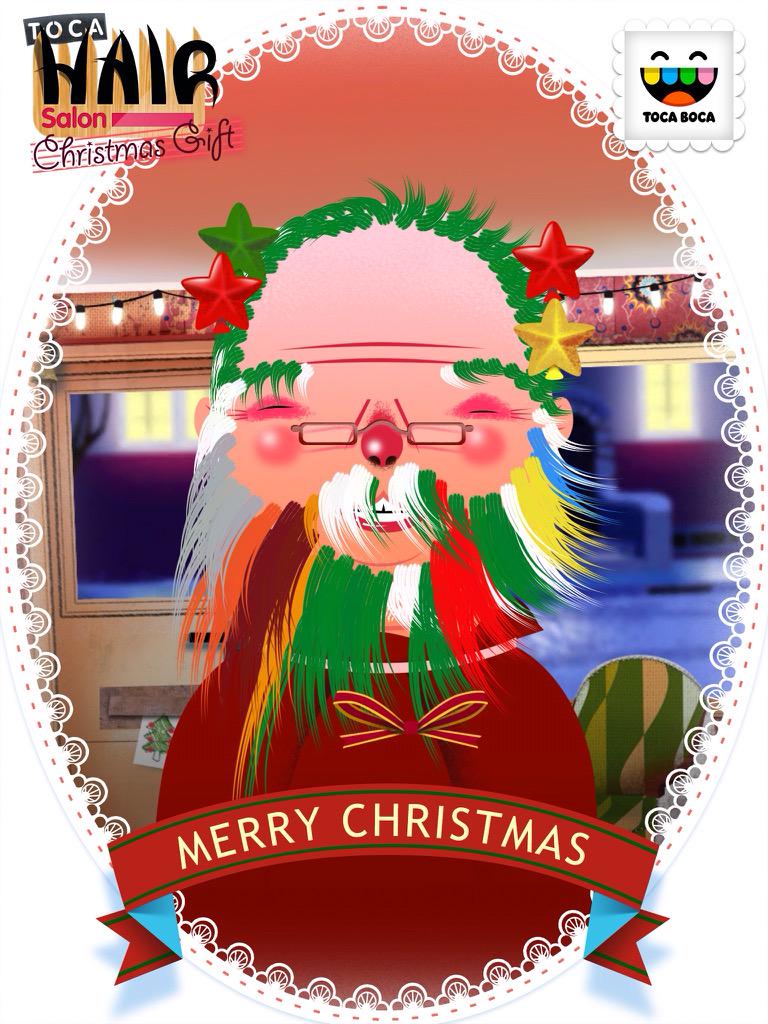
The great thing about this app, compared to the other two, is that  it allows children to explore their creativity, whilst making things happen. Ruby chose her 'model' then proceeded very quickly to select the hairdressing tools to change the hair styles. She showed obvious enjoyment at cutting, combing, colouring and drying her models hair. She explored the app independently and it kept her amused for a long while. It kept us amused watching her creations! 


When she got home I believe mum was on strict orders to get some of these apps onto her iPad! I think they have proved to be quality apps for children in EYFS, though I'd love to know which one she would return to first if she had her choice, and how long they would keep her amused when she is more familiar with them. I certainly think they are valuable apps for EYFS education and they are a super introduction to the new computing curriculum. For more quality early years apps, follow the EYFS tag below. 

Sunday, March 1, 2015

16 (or so) quality ipad apps to use in a year 2 class


In the next couple of weeks my year 2 children will be using the brilliant Scratch Jnr app to create basic polar bear animations. It ties in with the work that we are doing in class and I believe that the app is easy enough for 6 year olds to use, especially with some careful pairing. 


Update: My year 2s used the app independently, check it out on the class blog!         


After the briefest conversation with my HT I have been considering whether I have been using the iPads effectively this year  - and thinking about the apps I use and whether they are high quality. Am I still using them innovatively and is this possible with year two children?  I am one of those people who lives in the moment and I honestly can forget very quickly the things that I have done. I looked back over our class blog this year and am pleased that I think we have used quality apps effectively, though maybe I could use some apps more often. I'm not sure whether it's innovative use - probably not, but they are being used.

So here are my top apps this year for year 2, in no particular order. All photographs of children have been taken from our class blog this year. 


Number 1: Collins Big Cat apps

Fab for guided reading and writing
I use them for guided reading / writing interventions. They are great at keeping my children focused when working independently whilst I am working with a group too.

Number 2: Book creator

We used these to create profiles of ourselves to send off to a school in London. The expectation was that they just create one page. This will be built on this half term when they create an ibook about polar bears, then in the summer term an ibook about nocturnal animals. It doesn't replace paper work as their writing in the app is minimalist in comparison with paper based activities. That's because they are concentrating on so many skills here!
Book creator

Number 3. Puppet Pals

We used this in the autumn term to create animations from our local fen. They designed creatures, took photos at the den, created storyboards then animated!

Puppet pals animations

Number 4: Comic life

A great little app for creating posters across the curriculum. We used it to show knowledge and understanding of Samuel Pepys.

Comic Life (posters about Pepys!)


Number 5: Brushes

Creating art work in the style of Hockney as part of our environmental artists work. We used the ipad to take photographs of our natural art too.
Brushes

Number 6: Google maps/Earth
Use in conjunction with atlases! 

Number 7: Skitch

Not just great for planning journeys, it can be used in lots of ways!
Using Skitch to plan routes


Number 8, 9, 10, 11 and 12, programming apps:  Beebot, ALEX, Daisy Dino,  Fix the Factory and Scratch

A.L.E.X
Daisy Dino


Number 13: Twinkl phonics suite


A child in my class uses this daily for the brilliant pairs activity and letter formation as well as phonics practice. Lovely little app!


Number 14: Primary games maths apps


We use these regularly for boosting their rapid recall of number pacts. There are lots of great apps available!

Number 15: Explain everything / screen chomp


I haven't made use of these yet this year. They have been planned for, but my children haven't been secure enough to do what I have wanted them to do. My aim is for my top mathematicians to explain strategies for pencil and paper procedures by using the apps. We will get there by the end of the year!

16: Clicker grids

I can't believe I intially forgot this! Eek! I have used this fabulous app with a child in my class with SEN and it has enabled him to write his own pieces. Equally, a child with ASD who comes to my literacy group has been inspired to use it (he loves tech) and he writes much more quickly with it. I have blogged about the app here, which somehow I reverted to draft after publishing, so have republished it now! I will take a photo very soon.


They are the apps I use regularly - many other quality apps are available and we will be exploring more this year, like Little Fox Music Box and possibly i-movies bu the end of the year. Incidentally, the two top apps that I use regularly as a teacher are popplet and blogger. I also love Nosy Crow books for whole class teaching (they are a little expensive for all ipads).

You can see lots more quality apps from EYFS to KS2 on my ipad site

Sunday, February 22, 2015

Two iPad apps for early computing

These two apps were freebies that I installed via apps gone free. The first is called RGB express and much to my surprise I was quite impressed with it! The aim is to get your truck to the garage, sometimes picking up cargo on the way. You plan your route, then finger swipe the way you want your truck to go. Press play and you're off! 


 I can see how this would fit in nicely in the early years and was impressed when it became clear that the further you progressed through the app, the more thinking is required! 


When you get to certain levels (and you reach them quite quickly) you have to think through the routes for both your trucks as they can't cross over. Perfect! Logical reasoning, unambiguous instructions, creating and debugging are covered in an EYFS style! 


The second app looks very familiar, in a Beebot kind of way. Code blast differs in that it makes writing algorithm slightly easier, in that turns and moves are not separate commands. For that reason I wouldn't give it to a child who has mastered Beebot, as this would confuse them (it initially confused me!) It's a nice introduction to writing algorithms and the commands are visible on the right hand side of the app. When you press play it highlights in green where it us, which helps debugging when it goes pear shaped! As you can see, the algorithms can be quite lengthy.


When I completed 12 levels I earned a certificate, which I knows important to many children.


I'm now on the silver level and am now able to shoot aliens that are in the way. This will keep some children interested, if they have kept their interest up to level 12.


I am intrigued as to what will happen in gold level and am hopeful that it may progress onto the repeat command, but presently I don't have enough time to investigate. I shall find a willing beta tester next week at school! I will add their opinions asap.


Don't forget you can find some more computing apps on my ipad site