Friday, June 7, 2013

The transition from ICT to computing

The draft computing curriculum caused a big stir. To me, that in itself is an achievement. It's got us all talking, thinking and debating the issues. I like change; I like to feel that I'm moving and learning, though I do recognise that this may be because I'm still relatively new to the profession. As a mature student I have only been qualified for 11 years (though have taught for longer in a special school setting). In 11 years I have moved classrooms 3 times and taught all ages in ks1 and 2. It's good to know where children come from and where they are going. How does this relate to the new computing curriculum? I am a teacher and a life long learner. I recognise that new things will come along that challenge me. I am competitive enough to not want to be in the dark about something new so do my best to embrace change and 'carry on learning'.

Having said that, I also know that technological changes are easier for someone who likes to play with (and occasionally break) ICT. I have said before that for some teachers asking them to learn computing would be like asking me to teach geography using the Polish language. It's too much. On twitter last night there were some thought provoking tweets about this subject. Consider how in no other area of the curriculum would teachers be expected to teach themselves a new subject. The government doesn't seem to be putting in the money to support training either. @DigitalMaverick quoted how teachers would need to be retrained for c. £135 a head. Food for thought? It seems that a lot of problem solving will need to be done. 

Luckily, one of my strengths (so I have been told) is my ability to problem solve. So the problem is the new curriculum, the solution is to simplify it and make it accessible for all. When this curriculum 'appeared' one of the first things I did was to start this crowd sourced computing doc in google drive. The power of twitter has been proven again with the amount of (notable) people who have contributed some great ideas and free web resources to it. 

Doing my bit

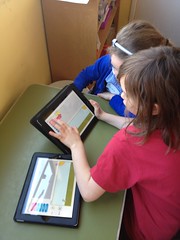
 Regular readers will know how we are very fortunate to have iPads in school. They have already made the transition to computing a lot easier. Because I have had positive experiences I am keen to share these with others. So here's what I have done. I hosted two cluster programming events for infants and had a computing morning in class in March. Teachers were invited along to the events to see how quickly the children can pick up new skills - and share them with others. My mini digital leaders helped at both these events too and it was like having extra hands!  By the end of the session the children and adults all knew what an algorithm is - and that it's not a scary word!


A few weeks ago I was invited to a SMT meeting at another school  to share my ideas about progression in computing. The response was huge relief and new found confidence from the staff that they would be able to do this - and do it well. I should point out that they have access to ipads too, though they each said that they would choose a new web based resource that I recommended to learn over the summer. 

This term I have also delivered workshops with my digital leaders to support teachers to use computing resources such as scratch, kodu and Mozilla Thimble and Hackasaurus. It is essential that teachers get this time to play so that they are confident to teach. It is also necessary to overcome the idea that computing is dull and for secondary experts. There are lots of great resources that are free on the internet and computing does not always mean working with or developing an expertise in code. I get by with my limited skills - and I am clear about my limits. I tried the html workshop at GTAUK and did a runner after 10 minutes. It was way over my head!


Doing a little bit more 

On June 22nd I will be providing three Mozilla Hackasaurus workshops at a teachmeet in Norwich. During the teachmeet I will also be showing progression in computing from EYFS to year 6 on an ipad, in seven minutes (hopefully!) Hopefully there will be many more events like this that teachers can come to and learn/play with others in a 'safe' environment. Yes teachmeets mean giving up your own time, but we do that anyway don't we when we plan on a Sunday or catch up with reading in the evenings. 

Creating an overview

As a point of reference I have started to put together a very basic progression in computing document that will serve as an overview for Roydon Primary next year. It needed to be simple for teachers to follow, so that they will use it, so it just uses 'pointers' rather than lengthy descriptions of each tool. Where the tools are used in the curriculum is up to the teachers and hopefully they will be written into their subject overviews. Once finished, I will share an editable version so that it can be adapted for any school setting. 

The computing document is accompanied by another that I have called 'digital literacy'. I have explained my thinking about this in the document and am really just trying to keep it simple. Other folk have put together some great ICT plans and I don't want to reinvent any wheels, I just want to create an overview that will point teachers in the right direction. It is what the staff at Roydon appreciate - they don't want to be bamboozled by lots of words on the page. I will add links to more thorough planning available on the internet for anyone who needs help with it.

Any thoughts or ideas would be appreciated!

Friday, April 26, 2013

Hopscotch


I put this video together for EPPS ipad evening. I really like hopscotch because it is another free resource that complements our existing resources for the new computing curriculum. Simple and accessible! Ant Evans (@skinnyboyevans) has explored it too and very kindly let me use his video within mine, to show what can be achieved with it. You can see his existing posts here.


Saturday, April 13, 2013

Self assessments as a reflective tool

Before teaching in mainstream I taught in a fish bowl. It was a new school for children with autistic spectrum disorders and therefore constantly visited by HMI, psychologists and other professionals. I was very self critical, partly because at that time I was unqualified and felt I had much to prove. I always wanted to do better. The school principle said once that it was my best and worst quality. I didn't need anyone else analysing my practice, I could do it well enough on my own.
I strongly believe that this underpins good teaching. Self assessing is a regular part of my practice, because it has a dual purpose - it helps the children focus on their strengths and areas to develop and it also helps me understand mine. At the end of each half term I want the children to spend a bit of time reflecting on their learning and also their proudest moments.We start by thinking and talking about all the things we have learned in class, what we have achieved and our thoughts in general. They then talk to their partners about what they have got better at and things they are proud of.

 I ask them to be frank and to tell me what would have made it even better for them in class as this helps me become a better teacher. It is their chance to be frank with me. Whilst I understand that the fact that these are not anonymous could influence what the children feel comfortable saying, I do also believe that our youngest children have the power to be frank when asked.


So here is what I learned from this set of self assessments:


  • Older children often focus on their improvements in writing (especially handwriting) and maths. Although this is not that dissimilar for my year 2/1s, my children also identified improvements in singing, sewing and behaviour such as sitting/listening on the carpet.
  • My children are very proud of a range of things: the puppets that they made, their stories that scared Mr BB, a range of maths subjects, their clay work, singing and a range of writing. This is good because I feel it shows how all learning is valued.
  • A lot of children identified that the noise levels in class sometimes prevented them from concentrating. This became a great discussion point and has provided a reference point for when I ask them to use indoor voices/turn their volume down in the future. 
  • Some children wrote that they have had a lot of help in class, from adults and from their friends. They seemed very able to identify that they are well supported. 
  • There were still too many blank spaces for the 'This would have helped with my learning...' section. When I asked children they told me that they were happy, that they had enough help and that they didn't know what to put in there or how it could be better. Some children went away and added 'I have enjoyed everything'. It is difficult to get them to add anything more constructive without putting words into their mouths.
  • One child had written that it would help if there were 10 Miss BBs ;-)
  • A G&T child wrote: 'I have enjoyed having lots more hard work, because the other maths is too easy.' Although I thought I had been stretching her, her 100% accuracy was not making her feel challenged. She prefers it when she struggles slightly as she knows that she is learning (I can relate to this). This is a fine balance though, but at the moment it seems to be the right balance.
  • They have enjoyed a range of subjects that we have covered. 
  • Identifying specifics is difficult for this age group. They might know that they want to improve their maths, but may not be clear exactly which part.
  • If my children had their choice next half term they would like to learn about: airplanes, the world, cats, tsunamis, dinosaurs, body and bones, Norwich, transport, squirrels, experiments I can do at home, polar bears, fish, how to bake cakes, the Hulk, horses, all about artists, Spanish, more numbers, poisons, another language, bears, Swedish, Spanish and French. A third of children gave reasons for their choices.

Now I can definitely cover some of these, but not all. This is why my team teacher and I made the decision to let our children make their own choices about their learning in the form of self study projects, at least twice a year. It is something that I have always done with older children, but it has proved very successful and enjoyable with my year 2/1s too. They enjoy the process and all children produce work of a standard that is high for them. They put a lot of effort in.

I have made brief notes from these self evaluations to inform my planning for next term, but more than that I enjoyed reading them. They were a pleasure to read and follow up on.


Example of PE self assessments

A little further (more academic) reading: 

The reflective teacher-McGraw Hill
Towards reflective teaching
The reflective teacher - Geoff Petty
Becoming a reflective teacher - Sage Publishing

Wednesday, April 3, 2013

A little holiday food for thought

Today I have been catching up on some tweets/blog posts that I  favourited on twitter. I thought that some of them were worth sharing. 


The first post I re-read this morning was Oliver Quinlan's Knowing Creativity. I took time to reply directly on the post, but had ipad failure once again and it deleted my comment. Next time I will try to remember to copy before I press send... In a very small nutshell (I recommend reading it for yourself), Oliver's post explores the idea of creativity being less of a result of inspiration and more as hard graft. I agree with this as it reflects my practice and who I am as a teacher/learner. My colleagues have described me as a creative teacher, but the approaches and ideas I use in the classroom have all been adapted or inspired from other people's ideas and practices. In short, I am a magpie - unashamedly so. It's not that all my ideas are pinched directly from other people, it's just that I could probably identify the initial inspiration for most of them (even if they do not seem at all related-my thought processes are not a uniform thing!) The more 'unique' ideas that I have had have not always worked so well, but I like to try them out, even if I fail. Taking risks is a big part of my learning. I would like to point out here though that if the idea ends up being a big one, I am always careful to attribute the source of my inspiration. 

Another related piece of reading and  TEDTalk is by Sir Ken Robinson 'Do school's kill creativity?' which I believe all edcuators should watch (2006 but very relevant).


Scratch

The third favourite was from @digitalmaverick about the Scratch Literacy Project between schools in London and Prague. This project involves year 8 children, but could be a great thing to adapt for younger children. 

Nick Chater also shared this youtube tutorial - how to create a duck hunt style game using Scratch. A great share for our digital leaders.


Ipads

This next favourite is a 'Bloom's taxonomy' in apps shared by @ethinking, created by @aangeli. Lots of great apps, even if you don't necessarily agree with their position in the table.


This was also shared by @ethinking and is a chart of key apps and a 'master plan for a 1:1 ipad programme.


And a final favourite that I felt important to share is this:

In an interview, children reckon that writing the objective at the top of their work had never helped - personal targets and good marking do


Need I say any more?


Footnote

Some creative ideas that haven't reached fruition. Yet...

1. A set of story books based around the 'Fairytale Advice Bureau' ... seriously! I've written one. It's got chapters and everything!
2. A set of eco-friendly picture story books. Quentin Clancy lives in a beach hut ...
3. Betty Buttercup's recipe book. (A spin-off from the 'Fairytale Advice Bureau)
4. A blog by 'Billy Buttercup' that shares his personal, social and emotional problems, requiring children to help him through with their comments. (Another spin-off) 

There are more ... 

Thursday, March 28, 2013

Hakitzu - JavaScript coding on an ipad!

I am going to start this post with an admission. I'm not really a gamer and my coding skills are poor. Yes I can keep up with KS2 children; I have learned how to use basic HTML code for blogging, can use Hackasaurus and Thimble and love gaming Kodu and Scratch, but that's about my limit.

We have children at Roydon who love minecraft. We use it as an incentive and as a reward for good behaviour with certain children. When I first heard about Kuato Hakitzu, via twitter of course and Kuato's chief education architect David Miller, I thought it would present great challenges for our digital leaders, but also for a talented child in my class who has behaviour that challenges (some people) and an obsession with gaming derived from being allowed to access 18+ games at the age of about 3. Incidently, this child also enjoys playing 'Teach your monster to read'. Very twee in comparison. He also loves A.L.E.X on the ipads - a game similar in nature to beebot, which I have blogged about elsewhere. I hope that Hakitzu will help channel some of his talents with a more appropriate platform, whilst helping him develop coding skills. 

So as with everything, I have had a play before introducing it at school. Unfortunately most of my digital leaders are girls and I'm not sure how much it will appeal to them, but hopefully they will learn to use it so that they can teach others. I think it is great and I know how children can be influenced by a teacher's enthusiasm!

So, my first experience with this game. I started by kitting out 2 of my robots. At this point I realised that I was more worried about the colour and aesthetic qualities rather than anything else. It's a female thing. I've always been Tom-boyish, but maybe not when it comes to shiny things. They have to look good! So my robots probably aren't the best designs for battle. I'm sure that children will spend more time experimenting than I have. After kitting out your robots, you then choose where you want to battle. There are three arenas: Hardplace rock, Rumble rig and Destropolis.


Once there, you are given tips on how to code, then off you go! You cannot make an error as it highlights it in red if you do. You only have 120 action points to start, so you have to be wise about your moves. I wasn't, then realised I had totally overspent when it came to executing the moves. I had to reduce one of the codes that had taken me ages to write! (A youngster would have probably done it in seconds!) You can also only do 9 'moves' in one go, so you might not be able to reach your desired goal in one execution. This makes it feel a bit like a game of chess. I am trying to imagine what my opponent will do, so that I can defend whilst attacking. Great for promoting strategic thinking in our children!


Even more embarrassingly than not paying attention to my credits, I managed to 'move' one of my robots to exactly the same position! He is now a sentry in the wrong place (see picture!) Gah! I have always been rubbish with my left and right, but I thought I had been careful with this. Clearly not!


My robot did some nifty footwork, but stayed in the same place!
I am blogging quickly whilst awaiting my opponent's move. I fear I will not live long...we shall see. I am loving this already, even though I am sure that I will never be an expert at it. It has huge potential for our proposed computing curriculum and to bring a bit of that awe, wonder and excitement to education. A great companion (next step) for my other favourite- Kodu and perfect because it allows our children to develop coding skills on the ipads. It is always great when we can show  I would love to know your thoughts too!


Three arenas for your battles

For further reading, take a look at the press release or maybe you would prefer to browse their youtube channel. David has also pointed me in the direction of a facebook page which may interest you.

Friday, March 22, 2013

A day in the life of a teacher/ ICT consultant

Today has been a typical outreach day - model lessons and a staff meeting - but I thought it was worth blogging about because the lessons were with my class and the staff meeting was a mini cluster teachmeet.

The first 'lesson' of the day was a model control technology session for a visiting student and NQT. I have asked the question 'What do we control?' at the start of a few similar sessions, but was not expecting the response I got from my children. They seemed to have a clearer idea than much older children as 90% of my class had their hands up straight away. That was a 'wow' moment for me.


During this session I had put out a range of software and hardware for the children to use. I have written about it here so won't repeat myself. I would like to say here though that my recent de-cluttering of one (just one) of my display boards is great for showing off WOW work. I was able to showcase one child's accurate Gruffalo journey (using textease turtle) for immediate impact.


This is maths work - Gruffalo photo coming soon

After play we started to create our puppet pal movies. The children had written stories about Mr BB being scared by a monster in the woods. To be honest, the children had taken me in a totally different direction with this mini mantle/enquiry, but the outcomes were the same. They had created monsters, described them in detail and written detailed stories using a story path plan. They seemed very motivated by the subject matter - both by the monsters and Mr BB! You can see one of the films below and catch the others on our class blog. (Photos of Mr BB were available, but Jasmine preferred to improvise!)


My afternoon was spent writing a letter to the local press about our digital leaders, reading through a couple of Rising Stars great ICT units and preparing for our cluster schools teachmeet.

I wanted to do a teachmeet on digital literacy because raising standards in writing is an aim in the cluster and I was sure that lots of us would have examples of good practice and resources to share. The point of doing a small cluster one was to raise awareness of the power of teachmeets for cpd. Teachers shared the following gems:


Games for writing
Teacher in role
Drama for writing - dinosaurs

Puppet pals animations
Using film for story writing
Stories to teach e-safety -  EYFS / KS1
Morfo
SEN word books
Show me / explain everything apps
Hot-seating and use of easi-speak resources


The great thing was that everyone came away having learned something new - as well as having the chance to share and celebrate their practice. One of the comments afterwards, from a teacher who was unsure about the teachmeet encapsulated the feelings of many. She said how it was very relaxed, not at all as she had imagined and that she could find ways of using the ideas from other key stages that were talked about. Perfect! 

Thursday, March 21, 2013

Programming morning with year 2/1s

This morning we had a session in class dedicated to the control and modelling strand of ICT (I call it programming with the children, but will endeavour to use the word 'algorithms' in future in light of the draft computing curriculum.) Children had the choice of what they did and could move freely between the activities. Phoebe blogged about the morning on our classblog, showing she had a clear idea of our learning intentions, even though they weren't made specific (no WALTs or WILFs in our class). My mini digital leaders also took time to talk to a student and an NQT during assembly about how they used the ipads for learning. The adults were very impressed with the children's skills, knowledge and understanding and I felt very proud of them!


For this session I included controllable toys, iPad and computer games and activities. These included:
Cargobot
Charlie Chimp - on ipad and PC
ALEX 

Xanthe (year1) loved Daisy Dino
Textease turtle (with a Gruffalo)
Getting the Gruffalo turtle to his destination!
Beebot app
Cato's hike
Flobot by Sherston
Probots - a step up from beebots (we had beebots out too)
Flobot
Charlie Chimp
ALEX proved a very popular app as it does a similar job to the beebot app, but with a robot. This appeals to the children in class who find the beebot character a bit twee. Daisy dino was another hit, though I encouraged them to try Cato's hike and cargobot too. I will save Move the Turtle, Pettson's inventions and creatorverse for another day.

You can find some more of our favourite programming apps on my ipad site.


On the PCs we had Sherston Flobot and Charlie Chimp's modelling party, which the children really enjoy playing. I had also created a textease turtle resource that required children to move the Gruffalo towards the cave, following a specific route.

What did the children think? They loved the session! This was partly because although they knew they were learning, it didn't 'feel like learning'. I will repeat this session so that they can try more things, as some of them were having such fun with certain activities that they didn't want to move around. I also want to gain more of their views about the tools that they were using. The next session will be called 'try something new and CARRY ON LEARNING!'