Wednesday, August 1, 2012

Naace 3rd millennium hothouse

I'm yet to blog properly about #rethinkingICT  (partly because of its timing) so thought I should blog about the 'hothouse' as soon as possible. This will be a very potted version - my highlights.

The reasons I was happy to give up a couple of days of my holiday (again) was because I know how inspired by other's achievements I am. They make me want to become a better person and to carry on learning. Discussions throughout the two days have challenged my views, changed some of my opinions and  given me a lot of food for thought. It was great to catch up again with awesome twitter 'giants' Jan, Tim, Dughall and Drew and to meet twitter friends like Emma, Nic, Ant, RobertCherise (who I feel I have known forever!) and Chris (the funniest and most intelligent/inspirational 'youngster' I have ever met!). I include their names here as great people to have in your PLN, if you do not already have them. They have all certainly inspired me over the past couple of days.

I thought @ohlottie's idea of using linoit to take notes at #gtauk was a great idea, so I used it initially as a reminder for me, then decided I wanted others to add to it as I couldn't be in two places at once. There are hopefully lots of useful links on it for others to learn from. Thanks to everyone who contributed.


The thing that will have the biggest (immediate) impact on my teaching
came from the appshed masterclass from . I intend to use this with my digital leaders and show our key stage 2 teachers too. Other notable learning aspects for me were @dajbelshaw's Mozilla gems - popcorn and thimble- which I will play with during this coming week. He also reminded me of hackasaurus, which I had learned about at #gtauk. Don't get me wrong, there was lots of amazing stuff going on throughout the two days, but it would appear that I am quite 'up' on the ICT front. It's always good to know that you are keeping up/ahead of the game. There were some great scratch workshops including an
impromptu one from @dughall and @digitalmaverick, which resulted in standing room only! @largerama showed us robomind - an alternative to scratch and a resource which I will definitely use in school. There was also a workshop showing how effectively ipads can be used to create multi-media presentations to promote your school. Programming seemed to be one of the key aspects of the hothouse and of course the raspberrypi was shown - and its value explored. I'm pleased that I have purchased and played with one and will blog about that at another point.

The speedshare (teachmeet) was a great way of hearing snippets of good practice from other schools - and a lot of great practice was showcased.


Naace's curriculum framework will no doubt prove to be a valuable resource that I can use to develop our school's ICT curriculum. The more I think of it, the more I believe that ICT is so fluid, that spending hours writing detailed plans is not the way forward. Having a bank of quality resources and sharing ideas for embedding their use is a more profitable way to continue to develop ICT in our school. This could be done through 'learning community' style staff meetings whereby staff are expected to take 1 minute to share an example of how they have embedded ICT. This could be done every other week, setting a standard and ensuring good practice is shared. In our school that would only take 10 minutes out of each staff meeting. A worthy investment of time. It was great that a headteacher from my cluster - Carol Green - was at the hothouse, because we had discussions about holding cluster teachmeets, which she can promote at head's meetings.  

I hope you find the links on the linoit useful - I know I will keep referring back to them! Please add to it if you have any links that I missed.  I will write a separate post about the digital leader network presentation, because I think it deserves it!

Monday, July 23, 2012

Don't throw the laptops out with the bathwater

I am an ipad fan. I never thought I would be. I caved in to peer pressure (I never thought I'd do that either) when I sat between a fellow AST (@JenniH68) and an ICT adviser (@NorfolkTeachers). They got out their slick ipads, I got out my notepad*. I had complete envy when they started comparing apps, so when I left the meeting I went straight down to the apple store and purchased an ipad 2. I have not regretted it for a moment.

As soon as I had bought it and downloaded a few apps, I could see the huge potential for optimising learning in the classroom. I knew that the school had some money in the ICT budget, so I put in a proposal to our headteacher. He always liked being at the cutting edge of technology, purchasing IWB ahead of the game, innovating with the website and VLE and as a school I believe we were blogging before anyone else in Norfolk. Unfortunately at this point, he had announced his retirement and said it needed to be the new headteacher's decision. I tapped my foot patiently for over a term, frustrated about not being able to be the first school in Norfolk to adopt them.

We finally purchased 45 ipads in the autumn term of 2011 and haven't looked back. The way that they have been used will be written about elsewhere, but you can see how my 2/1 class have used them here and you can find out about the apps we have here.

Don't chuck the laptops!


Much as I love the ipads, I am a firm believer that they do not (and will not) replace laptops. Here's why:


  • Our local high school uses laptops / desktops. Our children need the skills to be able to use them.
  • Visualisers, cameras, dataloggers, digiblues, tuffcams and some control resources are all used with the laptops. Yes there are animating/control apps on the ipads, but we want the children to learn how to use a range of hardwear. 
  • We use a lot of the free resources from the BBC that are flash-based. These will not run on the ipads.
  • Blogging can be easy on the ipads with the blogger app, but you are limited with what you can do on them. It is difficult to upload photos onto some blogs, through the internet, on ipads.
  • We currently write reports using a word based template (though this will hopefully change to an online report writing system
  • We have a range of software on the laptops that the children love to use, including these notable ones:
    • Kodu
    • Scratch
    • Clicker 5
    • Photostory3
    • Windows movie maker
    • Espresso
    • Activprimary
    • Primarygames maths resources (we have 11 different packs).
    • A wide range of Sherston software that supports embedding ICT (Have you seen Flobot? Charlie chimp? Bucket and spade? My year 2/1s love them!)
    • Textease (which helps cover a vast amount of our ICT curriculum)
    • A range of 2simple resources

Also, we have a security system on the laptops to prevent children looking at / doing anything inappropriate. This is not on the ipads. We have not yet mastered saving work to the network either. So as you can see, we definitely won't be ignoring our laptops - they still get used as much (if not more) than our 'beloved' ipads!

*My ipad has not (and will not) replace my beloved Gruffalo notepad either ;-)

*Update on 14.2.2013*
For a more up-to-date post covering this and other matters, take a look at (my good ICT geeky friend) Ant's blog post. His blog will not fail to inspire you when you read some of the marvellous things he has done!

Saturday, June 30, 2012

Learning outdoors

Learning outdoors has two different meanings for me. The first is the way that I use the outdoor space as an extended classroom, where children complete work that could just as easily be completed indoors. The second is the way that the children interact with the outdoor environment to extend their learning. Both types of outdoor learning have a place in my teaching practice, as I will endeavour to describe below.

Extending the classroom

Unfortunately I am the only infant teacher in my school without outdoor access straight from the classroom. This has been a major frustration, especially as I often feel that I am failing to provide some children with what they need in their first few weeks in year one. Having a class with 2/3 boys also has an impact, so I try to make my classroom bigger by taking groups outside as often as possible. This means that children in the groups get better quality time from an adult (without interruption from others) and the children in class have more space to work. It makes no difference whether I send quiet or noisy children out, there is a significant drop in the noise levels inside the class.

Interacting and engaging with the environment

There are many ways that children can interact with the environment, from exploring the wild area to learn about plants, minibeasts and habitats, to co-operation and collaboration skills when den building and orienteering. Taking the children out of the school is valuable too. Why learn about the history or geography of your local area from photos when you can just go out walking? Many questions and ideas arise from interacting with the environment that wouldn't necessarily arise in the classroom. This interaction also allows opportunities to use relevant language and to explore and develop ideas. In my experience, parents seem more willing to volunteer their support when you are taking their children out of school.

This is a very brief start to my thoughts on learning outdoors and I hope to blog more about it soon.  

Thursday, June 28, 2012

iPad INSET

Doesn't Niki look like she's having fun?!

The above was done very quickly on the ipad during an INSET morning I delivered, to show everyone how easy the blogger app is. This was met very positively and hopefully even our EYFS children will be blogging soon. Our year 2/1s have been doing a great job on our class blog

During this session I had also prepared a QR code quiz. It involved placing QR codes around the school, which had to be found using a map. The codes linked to 10 different websites, with a common theme. I thought it would be easy, but not all of the teams got the answer (mostly because they were over-thinking it). 
Before they started the quiz I gave them a little warm up sheet with personalised QR codes, so for example Niki's code linked to 'Right Move' (she moves annually.) Becca has a new Bedlington puppy, so her code linked to a Bedlington website. Joe's link was to a book entitled 'Working With Women' (poor chap).  
If you want to have a go at the quiz check out these codes and see if you can guess the common theme*.


During the morning I shared some tips, such as four finger swipes, deleting multiple pictures and sharing films or photos. We then looked at ways of getting the children to challenge themselves using the ipads, by recording scores on maths games and trying to beat them. I have recording sheets stuck in the front of my children's maths books.
 We also explored different ways of using the ipads for group intervention, particularly using Mr Thorne does phonics and a range of maths apps. I showed the ipad record of achievement that I have made (see my ipad site for this) then we looked at some of my favourite apps for 'talking and writing', like audiboo, notability and voicethread. The morning went too quickly and I had so many more things to share, but in the words of a wise teacher 'It is better to learn a few and use them well than to be bombarded with many.' It is clear that training/sharing ideas needs to be continuous and that both ipad management and teaching/learning with the ipads are very separate, but equally important areas.


*There is a red herring in the quiz as one of the codes didn't take them to the correct page, just a 'landing' page. 

Tuesday, June 19, 2012

'That' phonics check


I feel compelled to write about this, because it has dominated my thoughts for the last few days and has aroused a range of emotions. I have hated that I have had to do something that I don't believe in. Again. I am relatively new to infant teaching and it seems that I have gone against my principles more in the past two years than in my whole teaching career. 


So, the test. I was dreading doing it because of what I thought would happen - children would fail, which would make them feel like failures and me feel inadequate as a teacher. I must just say that there has been absolutely no teaching towards this in my class whatsoever. I haven't paid the phonics check much attention, because I have no regard for it. Hearing afterwards that some teachers have felt compelled to teach children to decode nonsense words seems nonsense itself. My class have a 15 minutes letters and sounds session most days. This is delivered in a range of ways, but I will not waste time writing them here.


The first child who did the test was a child that I have targeted this year and who is now making huge leaps with reading. I did not expect him to do well, but he blew me away! He decoded the words, blended beautifully and got a great score. Suddenly I felt a lot more positive and thought the check wasn't so bad after all. How wrong I was. The next two children (average ability readers) struggled terribly. A tweeting headteacher yesterday questioned why any teacher would find the checks stressful. Try sitting next to a 6 year old who is getting increasingly anxious about his ability to make any sense of the words on the page. Sounding out wasn't a problem, but making a meaningful word? Impossible. Even my reassurance, 'It's a name ... it's not a real word ... you are doing so well...' etc did not ease the child's growing anxiety and frustration. The amount of times that this child, a reader, said 'I can't do it!' broke my heart. What did he learn from the test? That he couldn't do it. 


This happened to two children. Two readers out of seven that I 'checked' yesterday. That is what I disagree with. Plus the fact that only 32% of children reached the expected level in the pilot, which tells its own story.


Interestingly, I brought the words home and asked my OH to read them. He is a 51 year old dyslexic who 'gets by' with reading, regularly reading the paper, fishing/motocross/tractor magazines. He got 19/20 of the real words right (he got the last one wrong because he didn't look carefully at the end of the word), but only read 9/20 of the nonsense words and found them very confusing. My point here is that he reads for meaning and he enjoys what he reads. Isolated words on a page offer no clues for him to try out different ways of saying each word. Essentially he has failed what a 6 year old is expected to pass. 
I should add here that I love reading, but am not great at looking up new words unless I really can't understand the sentence without them. I am a lazy reader. When I read texts with names I cannot pronounce (e.g. Schindler's list) I substitute for names that make sense to me. Why would you need to read alien words accurately? They don't mean anything, they are just a name.


I could have written much more about this, but Michael Rosen has already conveyed my thoughts in a much more articulate way. I heartily recommend that you read the numerous posts about phonics that Michael has written.


N.B. My OH is aware that I am blogging about him!

Sunday, June 17, 2012

Digital literacy project part 2


Digital literacy, outdoor learning, art and drama all mashed up - I'm in teaching heaven!


Easi-speak chatterboxes
We had a lovely trip down to the fen last week to collect some digital assets and use our imaginations. Our digital assets included photos and videos on the ipads, audio recordings on easi-speak microphones and chatterboxes and photographs using a range of cameras. The children also had sketchbook 'field guides' that they had made by carefully folding recycled paper. You can see the fantastic time we had on our class blog.

Ipads outdoors
A creature!

 We took a range of storytelling props with us including an old canvas satchel, old rusty keys, a magnifying glass, old bottles, a hat (found on a tree) and a door (found in a tree).

Who lives here?
Creature clues!

A door in a tree
Look! Old keys! What are they for?


Next week in class we will be painting maps and the creatures we found, before animating them. We will be using photostory, crazytalk, puppet pals and I can animate amongst other digital resources. I have had a go at animating some of my creatures to see how well they will work on crazytalk. I may get the children to give them voices, using audacity. More importantly, the trip was such a success for inspiring the children's use of language and firing their imaginations that I aim to get some of them back down there in small groups during the week. 


Creatures from the field guide found in the satchel.


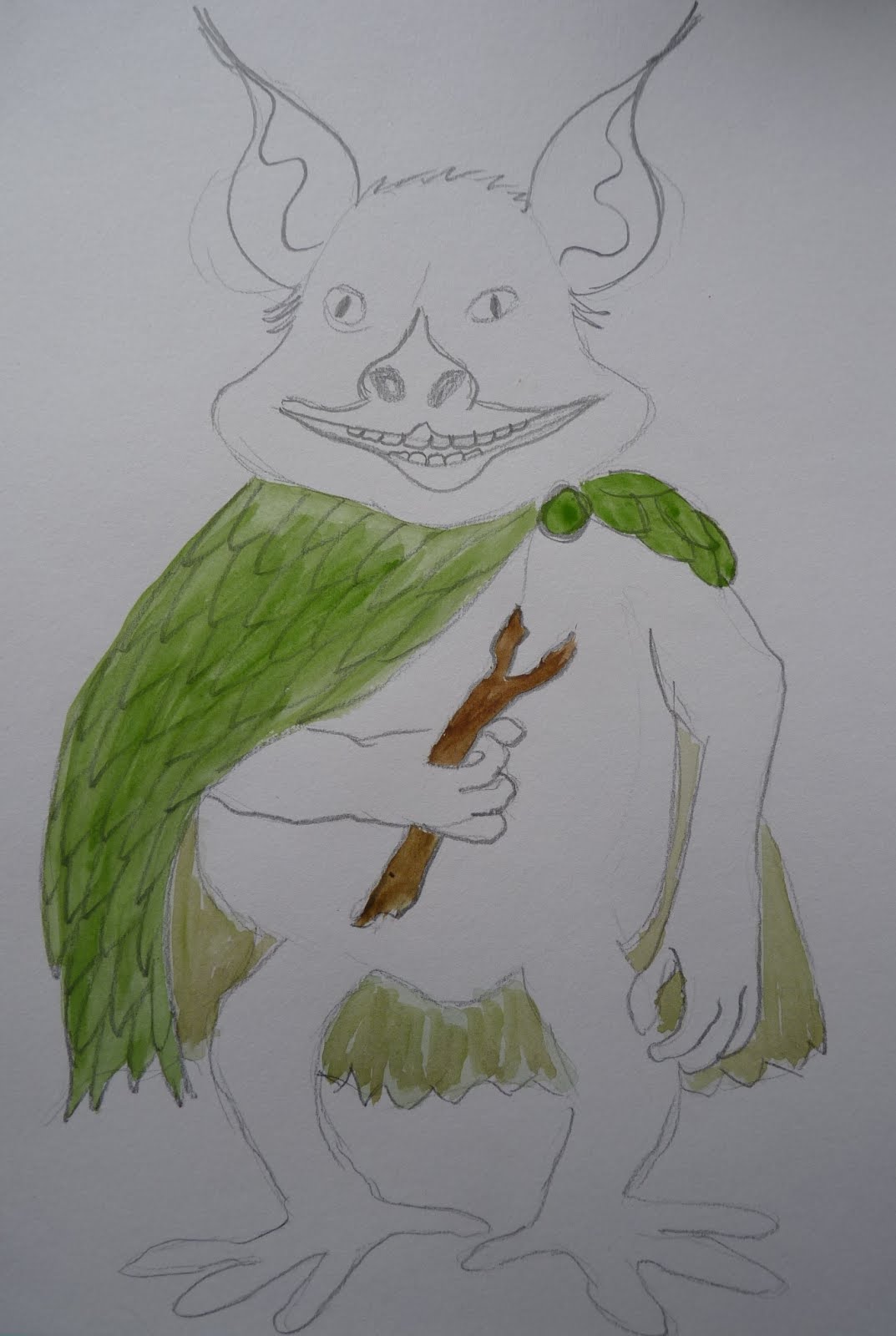
I have also created models for the children of a map (which we will 'find' in our usual mantle of the expert way) and a creature that I spotted at the fen. 


The creature is the second that is adapted from Spiderwick, after all we all need a little help with our imaginations sometimes. The Spiderwick Field Guide (a perfect £2 boot sale find) and copies of creatures will be available for the children, as their ability to create from their limited experiences could prove too much of a challenge. Recent work on habitats and adaptation may come in useful when we are thinking about our creatures though. 


Tuesday, June 5, 2012

Digital literacy project part 1

I was asked recently to participate in a digital literacy project at the UEA with other Norfolk teachers. This immediately excited me as it not only includes areas of teaching that I am passionate about, but also came at a time when ICT and literacy have become even more prominent in my working life. I have been employed by cluster schools to provide outreach for ICT, but with a strong emphasis on writing as it an area within the cluster targeted for development. I am also working with a fellow 'ex-AST' to put together an 'Inspiring Writing' blog, though credit must be given to Jenni for doing a much larger chunk of the work so far (this is a work in progress, not a fully polished site).

The project

The project has been inspired by Kate Pullinger, author of the innovative transmedia story Inanimate Alice, and put together by PGCE lecturers (Dr) Paul and Jeni. We were very fortunate that Kate had been invited to talk to us during this initial meeting and offer guidance and inspiration. For me, the inspiration came in
buckets!

The group

The group consisted of five Norfolk teachers, two of whom I already knew from twitter - Sarah Prentice and Niki Teasdale - and two other primary teachers, Helen and Adam. Sarah, like me is an avid blogger and Niki an avid writer. All of the other teachers in the project are part of a 'Writing Teachers' group led by Jeni and Sarah had used Kate Pullinger's work in class before, so was very familiar with her work.

Kate Pullinger

Kate introduced her Inanimate Alice  work and resources, which we had varying degrees of familiarity with. I had looked at it a while ago, as I had seen it mentioned on twitter, but had not considered it appropriate for my 2/1 class. I can see the huge potential it has for older children though and writing the next episode using Hackasaurus x-ray goggles must surely grip reluctant writers? (I will try this out at some point in my outreach work.) Kate then showed us a project that she had been involved in with schools in Ipswich called Ebb and Flow, which offered yet more inspiration for digital literacy. I will not go into detail about it here; the website speaks for itself.

My project

The brief is to develop a digital literacy storytelling project within our own schools, with the view to presenting it during a conference to PGCE students and teachers. I love the idea of using the local environment and am passionate about storytelling, so coming up with an idea was easy. In the first week back after the holidays I will be taking my children into local woodland to collect a range of digital assets (photographs, audio clips and videos). To get into the storytelling mood, we will take a range of props with us, which will have been 'found' inside a satchel and will form the start of a mantle/enquiry. As I was thinking about this, I remembered the Spiderwick Field Guide that a child in my class was obsessed with a few years ago. This offered more inspiration for props, which will include the bag itself, a magnifying glass, a map of the local fen and woodland, a pair of tweezers, a specimen jar and a field guide.

I have been creating the field guide this week and am thoroughly enjoying it. One of the pictures has been inspired by a Spiderwick creature, another by Shaun Tan (not finished yet, so not shown). The rest are just sketches that I have developed. I will add more throughout the holidays as and when I have time.


The idea is that the children will go down to the local fen, spot some creatures, then share stories about them in dens that they have made. The fen is a perfect place as there are lovely boggy parts, small and large wooded areas and plenty of space for den building and story telling. Getting into the role of field explorer will be easy. I am toying with the idea of using carefully positioned QR codes for some of them to 'find' creatures that I have created, but I'm not sure if this type of staging will be beneficial. I do want the children to 'spot' their own creatures, but I know that some may struggle with this.

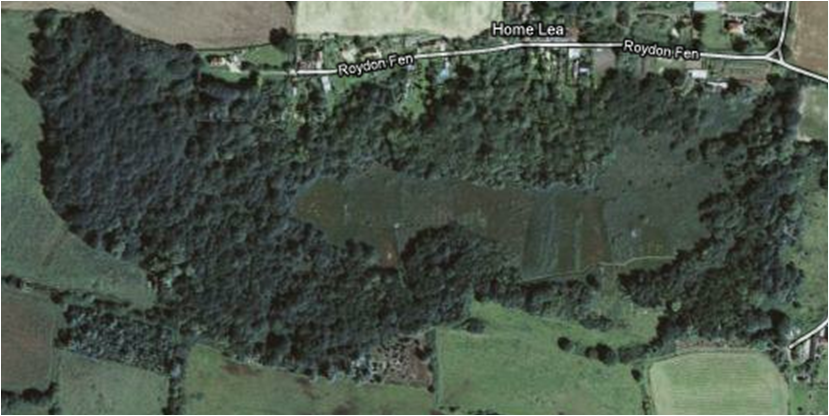
Roydon Fen


I am imagining that the 'explorers' will collect audio clips of their observations, thoughts and feelings in the style of  David Attenborough, with photos of the environment and the props they are using. I will ask my army of parent helpers to do their best to model the language that might be used when a new creature is seen. We will take with us our ipads, cameras, easispeak recorders, chatterboxes and phones. The 'explorers' will have their own field guides too, created from recycled paper, in which they will make their observations.

I have a lot of ideas for the outcomes of their work, but am keen that the children suggest what they should do. They often come up with better ideas! Possibilities include:

  • Top trump style cards created in powerpoint or textease, with animations (using puppet pals or visualisers) instead of pictures of the creatures 
  • Interactive storytelling maps inspired by Tom Barrett at #gtauk (they are not familiar with these, so I will suggest them)
  • Pictures of the fens that have stories/poems embedded in them
  • E-books, using book creator
  • Photostories
  • Creature pictures with stories embedded or linked
  • Sticky note poems using linoit
I will continue to blog about this over the next couple of weeks. I hope it has offered some inspiration - please let me know if it has! I am fired up already and looking forward to an assessment free half term!